Table of Contents

Introduction

EZ Countdown Timer is an advanced WordPress solution for creating dynamic countdown campaigns that enhance urgency, boost engagement, and spotlight time-sensitive opportunities.

Installation

Installing EZ Countdown Timer Free

In your WordPress admin area, follow the steps below to install Free plugin:

  • Navigate to Plugins > Installed Plugins
  • In the search field, search for HurryTimer, then click on Install Plugin
  • Click on Activate to activate the plugin

Installing EZ Countdown Timer Pro

Don’t have EZ Countdown Timer Pro yet? Click here to choose your plan.

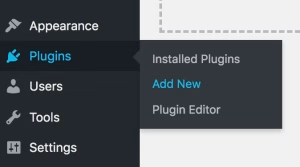
    1. In your WordPress admin, go to Plugins → Add New.
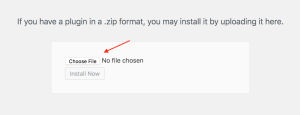
    2. Click the “Upload plugin” button, choose the zip file you’ve just downloaded, and click the “Install Now” button to start installation.

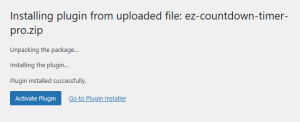
    3. Finally, click the button “Activate Plugin”.

Activating your EZ Countdown Timer Pro license key

Don’t Miss Out — Offer Ends Soon

Limited-time deal. Grab it before the timer runs out.

00
00
00
00

Days

00
00
00
00

Hrs

00
00
00
00

Mins

00
00
00
00

Secs